


Description
A job search can mean dozens of applications, and it is easy to lose track. This workbook keeps them all in one place.
Add a row for each job: company, role, the date you applied, where you found it and your contact. Pick a status (Wishlist, Applied, Interview, Offer, Rejected or Withdrawn) and note your next step and the date for it. A Follow-up column then tells you which rows are Due, so you remember to chase.
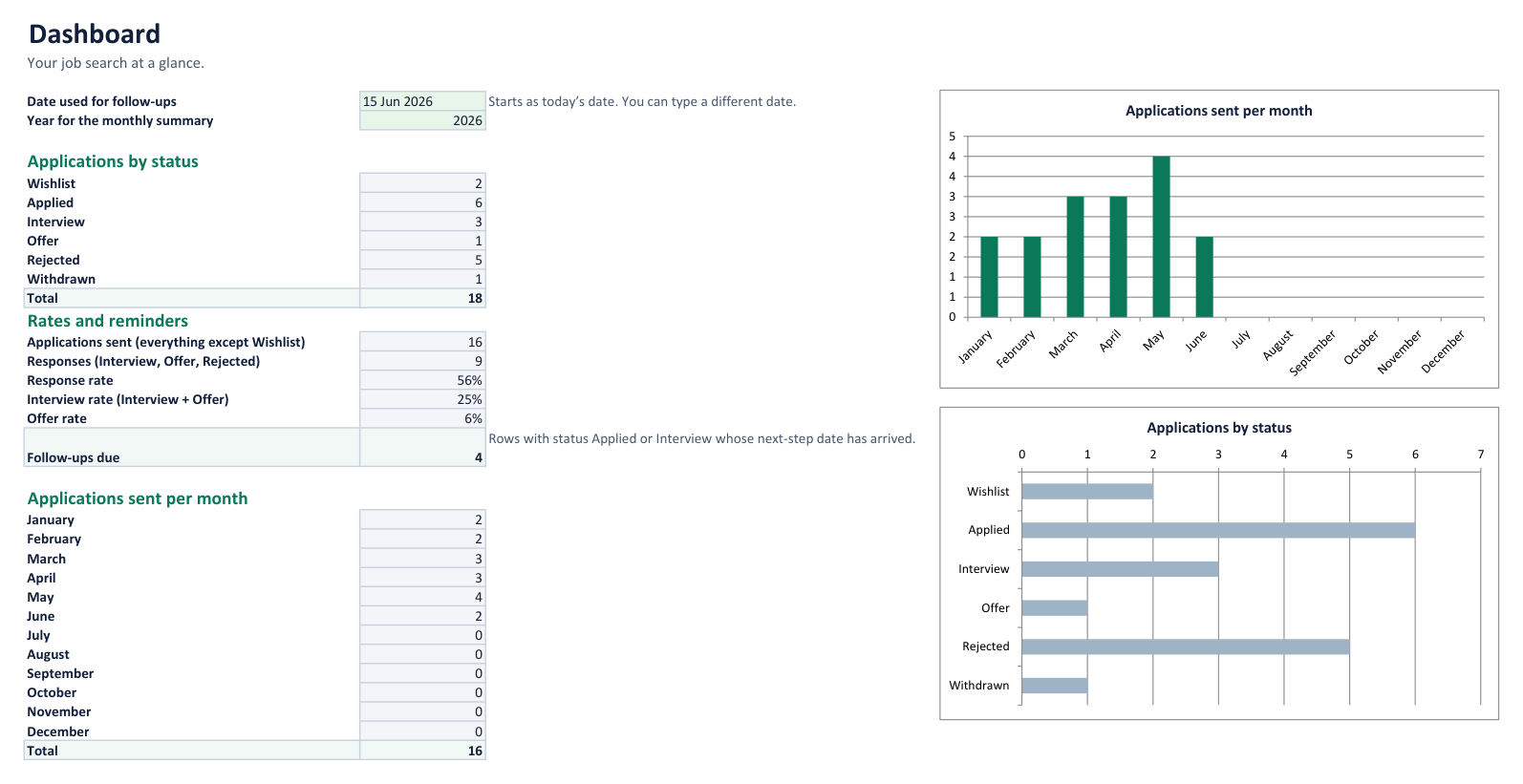
The Dashboard counts how many applications are in each status and shows your response rate, interview rate and offer rate, how many follow-ups are due, and how many applications you sent each month, with two charts.
Standard Excel formulas only: no macros, no add-ins. Sheets are protected (no password) so formulas cannot be broken by accident, and only the green cells need your input.
How it works
- Add one row per job on the Applications sheet.
- Choose a status from the list and note your next step and its date.
- Check the Follow-up column for Due rows.
- Read the Dashboard for status counts, rates and a monthly summary.
What you get
- Job Application Tracker.xlsx: the clean template for your own job search
- Job Application Tracker – Example.xlsx: the same workbook with fictional companies and dates, so you can see it working
- Instructions.pdf: a short guide in large, easy-to-read text
Inside the workbook
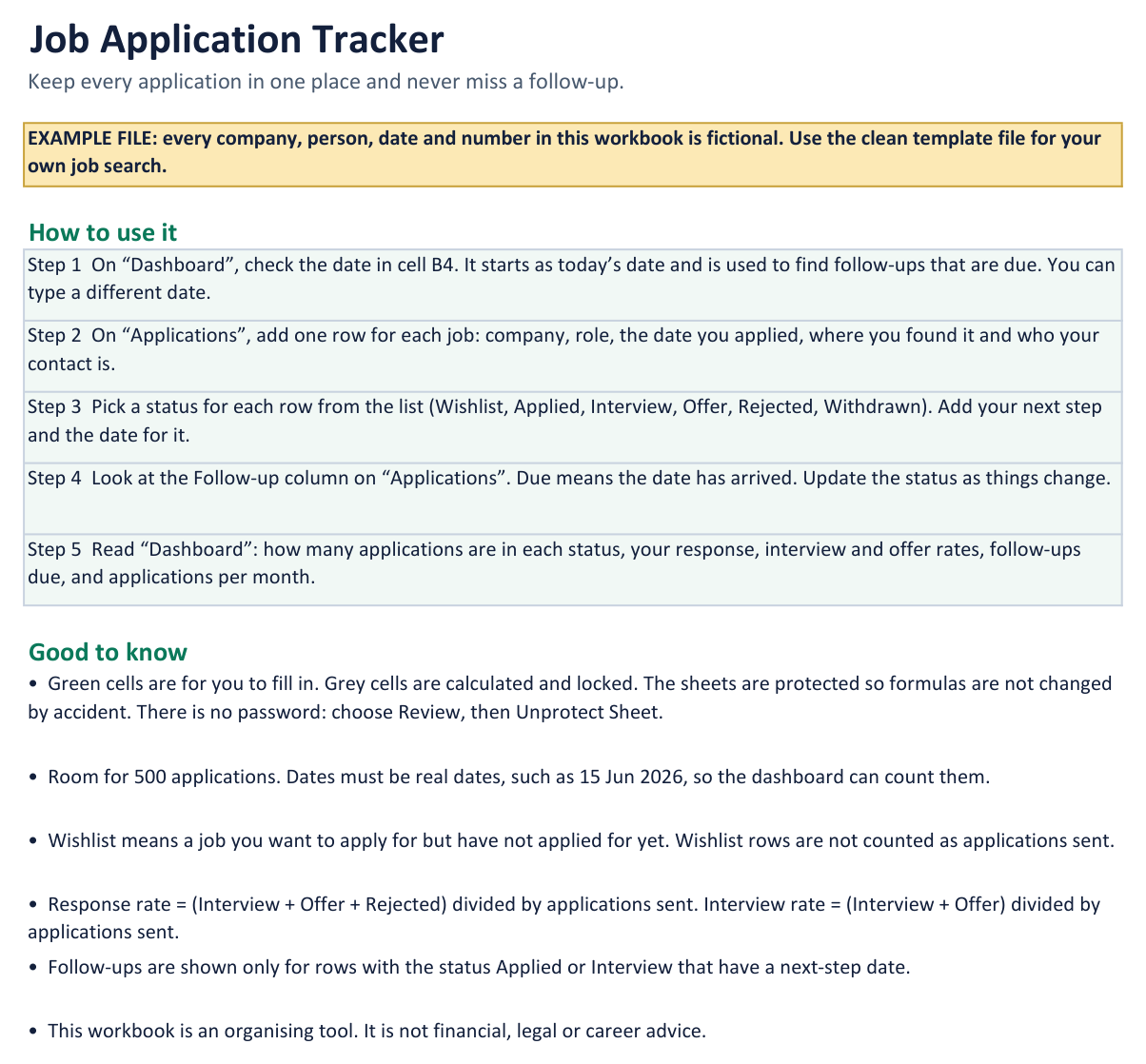
- Start Here: five short steps and tips
- Applications: room for 500 jobs, with days since applied and follow-up status filled in for you
- Dashboard: counts by status, rates, follow-ups due, applications per month, and two charts
Good to know / not included
- Made and tested in Microsoft Excel (.xlsx). It may open in Google Sheets or phone apps, but some features can differ. Not guaranteed outside Excel.
- You enter the information yourself. It does not connect to job sites or send reminders by email.
- The Dashboard uses today’s date to find follow-ups that are due; you can type a different date.
- This is an organising tool. It is not financial, legal or career advice.
- Digital download. Nothing is shipped.
How to use
- Open Job Application Tracker.xlsx in Excel.
- Follow the five steps on the Start Here sheet (also in Instructions.pdf).
- Open the Example file first if you want to see a finished tracker.
Notes / limits
- Up to 500 applications per file.
- Dates must be real dates so the Dashboard can count them.


Reviews
There are no reviews yet.