


Description
What should you charge? Start from what you need, not from a guess.
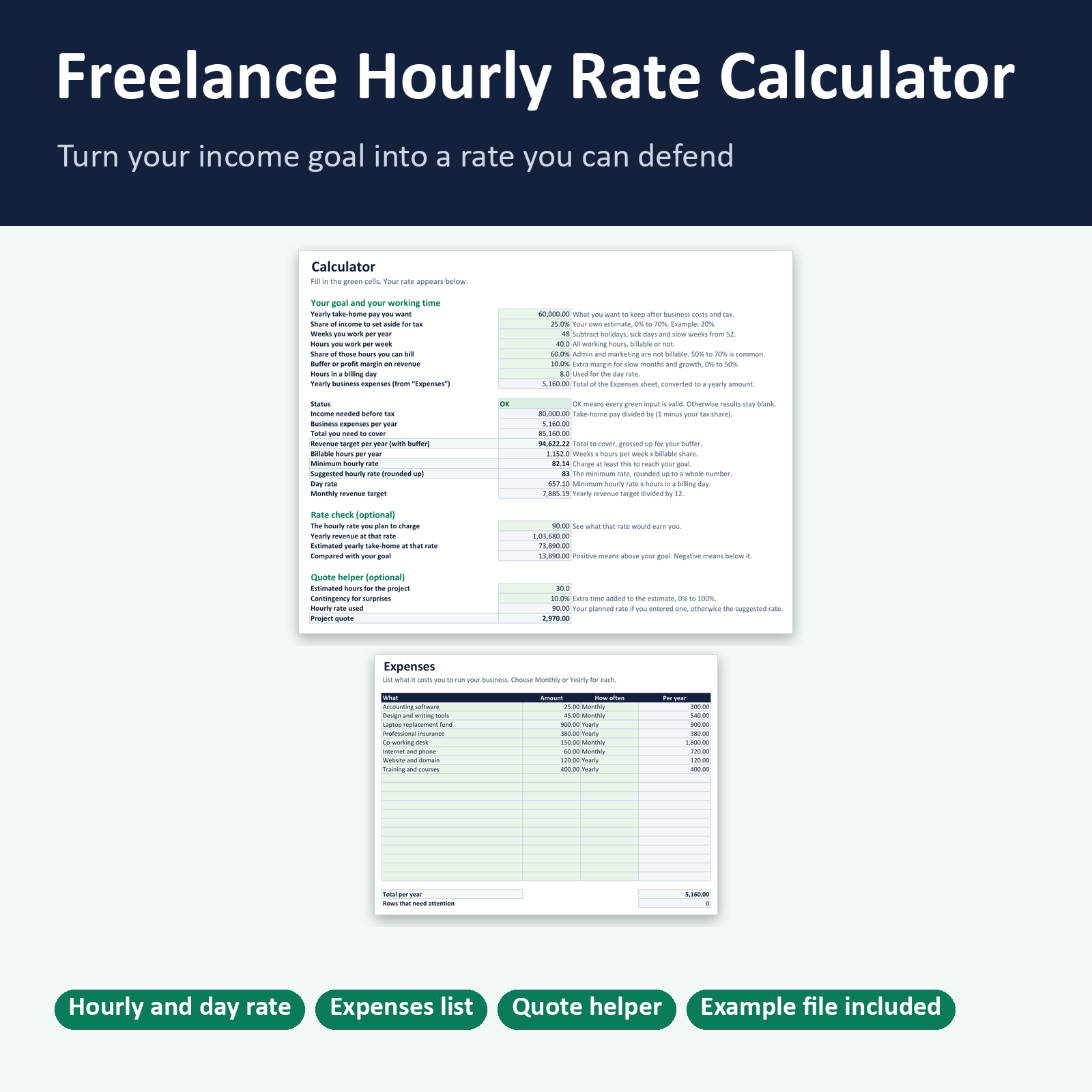
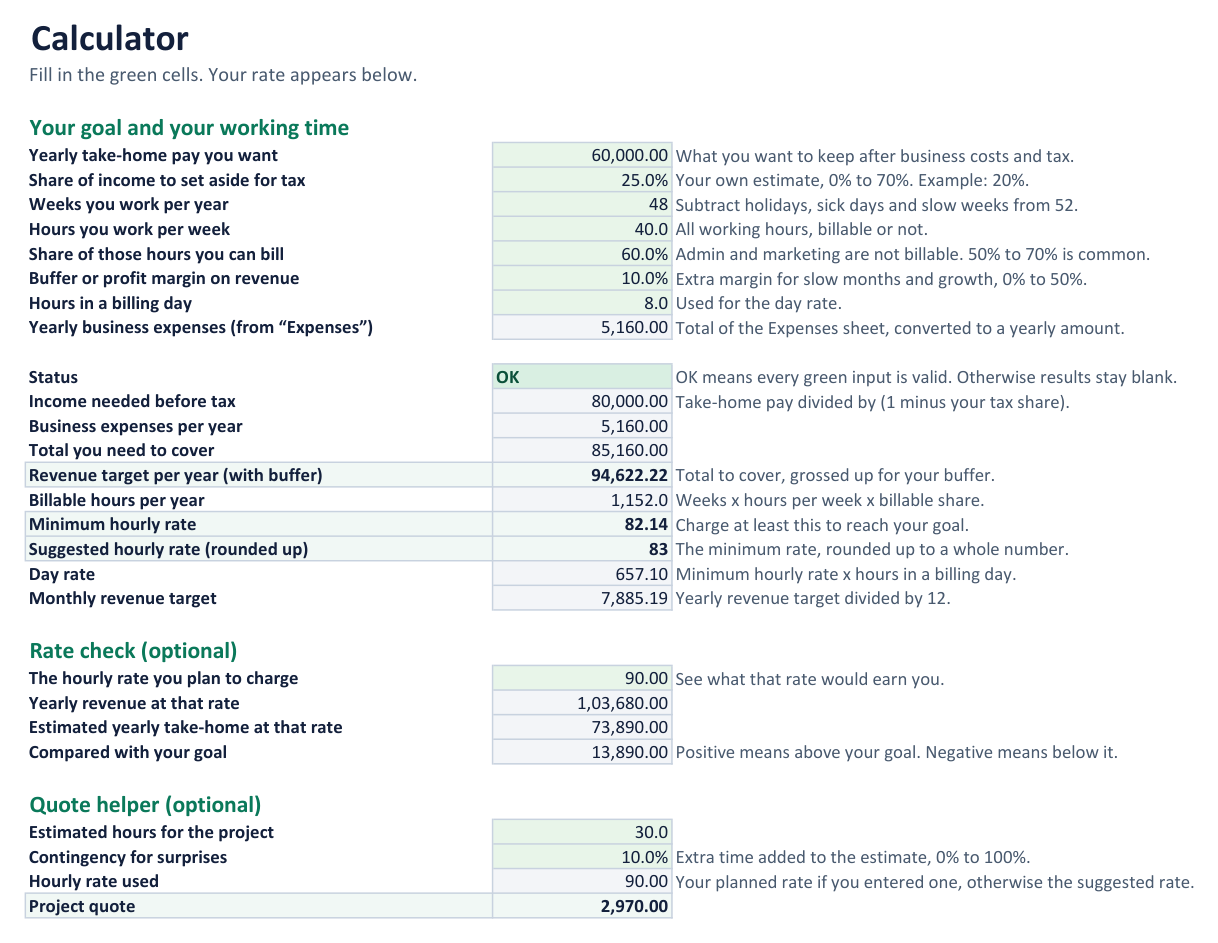
Enter the yearly take-home pay you want, the share of income you will set aside for tax, and what you spend to run your business. Tell the workbook how many weeks you work, how many hours per week, and how many of those hours you can really bill. It works out the minimum hourly rate you need, a suggested rate rounded up, your day rate, and the yearly and monthly revenue you must bring in.
Then test it. Type the rate you plan to charge and see what you would take home at that rate compared with your goal. Add the hours for a project and a contingency, and the quote helper gives you a price.
It is built for freelancers, contractors and solo business owners who want a clear, honest number without learning complicated software. Standard Excel formulas only: no macros, no add-ins. Sheets are protected (no password) so formulas are not changed by accident, and only the green cells need your input. If something is missing or out of range, the results stay blank and a status cell tells you to check the green cells, so you never get a misleading answer.
How it works
- Enter your take-home goal and tax set-aside on the Calculator sheet.
- List your business costs on the Expenses sheet, each as Monthly or Yearly.
- Check your working weeks, hours per week and billable share.
- Read your minimum rate, suggested rate, day rate and revenue target.
- Optionally test a rate and price a project with the quote helper.
What you get
- Freelance Hourly Rate Calculator.xlsx: the clean template for your own numbers
- Freelance Hourly Rate Calculator – Example.xlsx: the same workbook with fictional numbers, so you can see it working
- Instructions.pdf: a short guide in large, easy-to-read text
Inside the workbook
- Start Here: five short steps and tips
- Calculator: your goal, working time, results, rate check and quote helper
- Expenses: up to 20 business costs, monthly or yearly, totalled per year
Good to know / not included
- Made and tested in Microsoft Excel (.xlsx). It may open in Google Sheets or phone apps, but some features can differ. Not guaranteed outside Excel.
- The tax set-aside is your own estimate. Tax rules differ by country; this is not tax advice.
- It gives a minimum rate from your numbers. It does not research market rates or tell you what clients will pay.
- Amounts have no currency sign, so you can use any currency.
- This is a planning aid. It is not financial, tax or legal advice.
- Digital download. Nothing is shipped.
How to use
- Open Freelance Hourly Rate Calculator.xlsx in Excel.
- Follow the five steps on the Start Here sheet (also in Instructions.pdf).
- Open the Example file first if you want to see a finished set of numbers.
Notes / limits
- Results stay blank until every green input is valid and every expense has an amount and Monthly or Yearly.
- Up to 20 expense lines per file.


Reviews
There are no reviews yet.